 1 / 7
iVANKY FusionDock Max 2 23-in-1 Thunderbolt 5 Dock
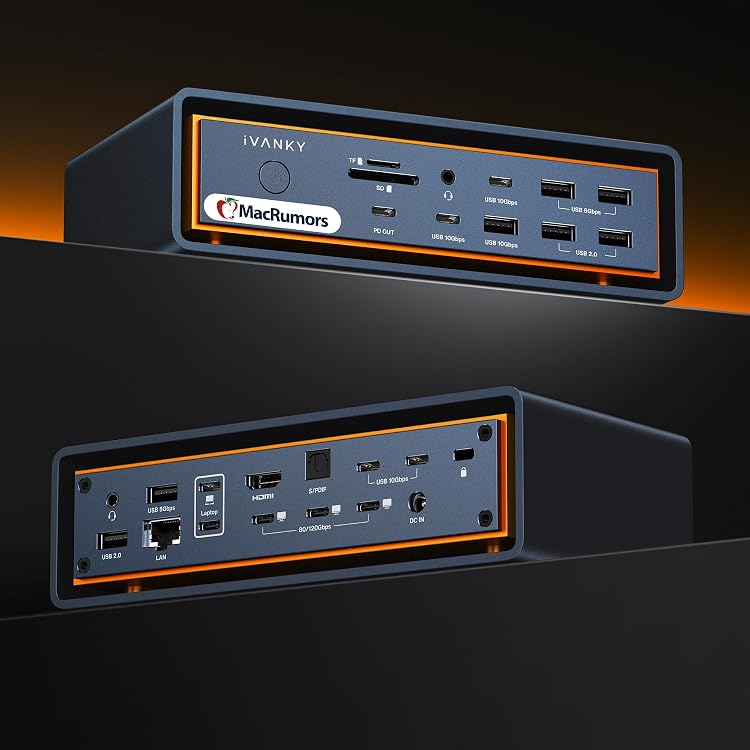
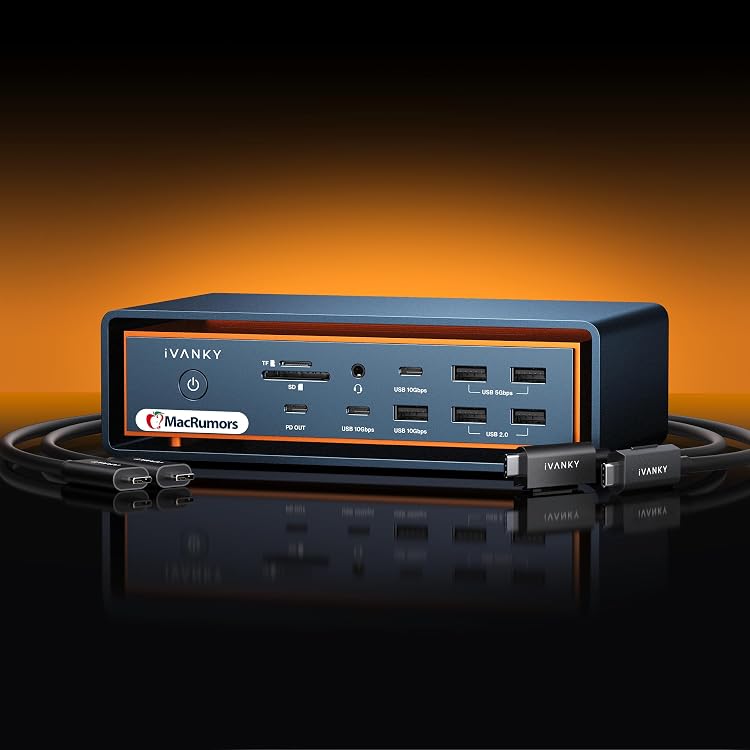
The iVANKY FusionDock Max 2 is a 23-in-1 Thunderbolt 5 docking station listed for Apple silicon Macs with M-series chips. It offers extensive display, USB, card-reader and Ethernet connectivity, but its two-cable host connection and Mac-only compatibility make it a specialised choice.
At a glance
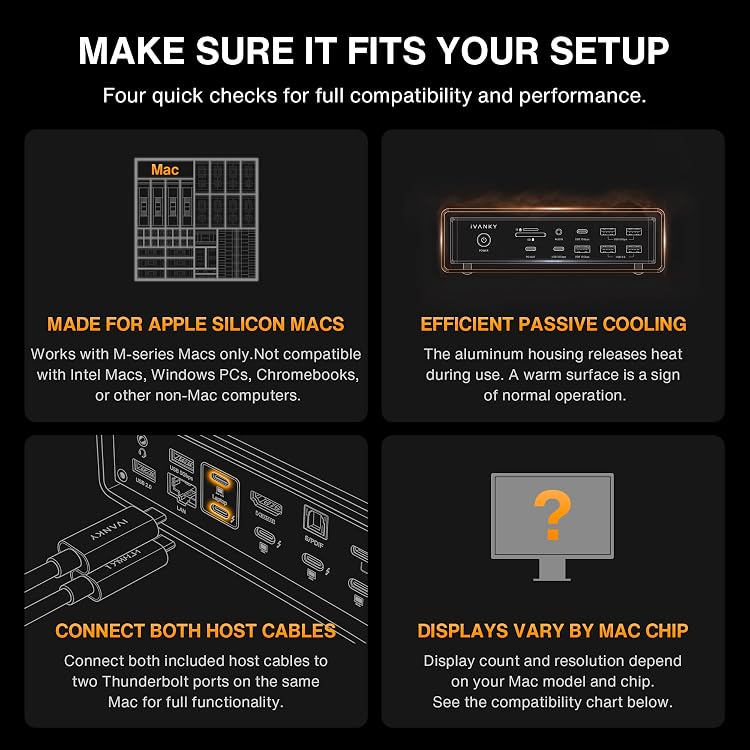
- Requires two Thunderbolt ports on one compatible M-series Mac for full functionality. It supports one Mac at a time.
- Display limits vary substantially by Mac chip. The listing gives different configurations for Max, Pro and base chips.
- The manufacturer claims a 240W adapter can charge laptops up to 140W and PD USB-C devices up to 30W.
- Passive cooling avoids internal fan noise, with surface warmth under load described as expected.
Reference price: £469.99
Price checked: 16 Nov 2026
View offerAhead of Black FridayExplore the selectionPros and cons
Pros
- Broad connectivity, including three claimed Thunderbolt 5 ports, ten USB ports, HDMI, card reading and Ethernet.
- Laptop charging is listed at up to 140W, with up to 30W for PD USB-C devices.
- Fanless passive cooling may suit noise-sensitive desk setups.
Cons
- Compatibility is restricted to Apple silicon Macs with M-series chips. The listing excludes Intel Macs, Windows PCs, Chromebooks and other non-Mac computers.
- Using both host cables occupies two Thunderbolt ports on the Mac, and the dock cannot switch between computers.
Technical specifications
23 specifications| Brand | IVANKY |
|---|---|
| Colour | Midnight Blue (Max 2) |
| Compatible devices | Apple silicon Macs with M-series chips |
|---|---|
| Host connection requirement | Connect both included host cables to two Thunderbolt ports on the same Mac for full functionality. |
| Computers supported at a time | FusionDock Max 2 supports one Mac at a time and does not switch between computers. |
| Hardware interface | Ethernet, HDMI, Thunderbolt, USB 3.0, USB Type C |
| Thunderbolt 5 ports | 3*120Gbps Thunderbolt 5 ports |
|---|---|
| USB ports | 10*USB ports |
| USB transfer rate | up to 10Gbps data transfer |
| Card reader | SD/TF 4.0 card slot can support up to 312Mb/s |
| Ethernet | RJ45 Gigabit Ethernet port can maintain a smooth and stable 2.5Gbps Ethernet connection |
| Power adapter | 240W power adapter |
|---|---|
| Maximum laptop charging | up to 140W |
| USB-C device charging | up to 30W |
| Cooling feature | Silent Passive Cooling |
| Cooling design | No internal cooling fan means no fan noise. Surface warmth under load is expected as heat moves outward. |
| Manufacturer temperature claim | In a 12-hour full-load test, the hottest outer-frame point reached just 49°C (120°F)—well below the applicable 60°C (140°F) UL touch-temperature limit, supporting safe, reliable long-term use. |
| M1–M4 Max | up to 3 via 2 Thunderbolt (TB) ports (6K@60Hz each) + HDMI (4K@60Hz); NOT via 3 TB ports. |
|---|---|
| M5 Pro | up to 3×6K@60Hz via 3 TB ports, or 2 TB + HDMI. |
| M5 Max | up to 4 via 3 TB + HDMI or 3 TB + one daisy-chained Thunderbolt display. |
| M1–M4 Pro/M4–M5 base | up to 2×6K@60Hz |
| M1–M3 base | 1×6K@60Hz |
| Warranty | 24-month warranty |
|---|
What to know before buying
Listing details to confirm
The listing gives different display configurations by Mac chip. Confirm the exact capability for your Mac model before buying, especially if you need multiple external displays.
Who is it for?
A good fit for
- M-series Mac users who need a large range of desk connections and can spare two Thunderbolt ports.
- Users who need high-wattage laptop charging and prefer a fanless dock.
- Mac owners planning external displays who are willing to match the dock's stated limits to their specific chip.
Less suited to
- Intel Mac, Windows PC or Chromebook owners.
- People who need one dock to switch between multiple computers.
- Mac users with only one available Thunderbolt port for the dock's host connection.
Customer reviews on Amazon
- 5 stars
70% 70% - 4 stars
11% 11% - 3 stars
5% 5% - 2 stars
7% 7% - 1 star
7% 7%
Aggregate ratings lean positive, with most ratings in the five-star category, but a notable share are one- or two-star. Without customer comments, the ratings do not show what people liked or disliked. For buyers, the key practical questions remain whether their M-series Mac supports the desired display arrangement and whether two Thunderbolt ports can be dedicated to the dock.
Frequently asked questions
Which computers is the FusionDock Max 2 listed as compatible with?
The listing specifies Apple silicon Macs with M-series chips and says it is not compatible with Intel Macs, Windows PCs, Chromebooks or other non-Mac computers.
How does it connect to a Mac?
For full functionality, the listing says to connect both included host cables to two Thunderbolt ports on the same Mac. The dock supports one Mac at a time and does not switch between computers.
How many external displays can it support?
That depends on the Mac chip. The listing gives configurations ranging from one 6K display for M1–M3 base chips to up to four displays for M5 Max. Check the stated connection arrangement for your chip before relying on a particular setup.
Does the dock have a cooling fan?
The listing describes passive cooling with no internal fan and says the chassis may feel warm under load.