 1 / 7
Fusion5 Docking Keyboard for 10.1-inch Windows Tablets
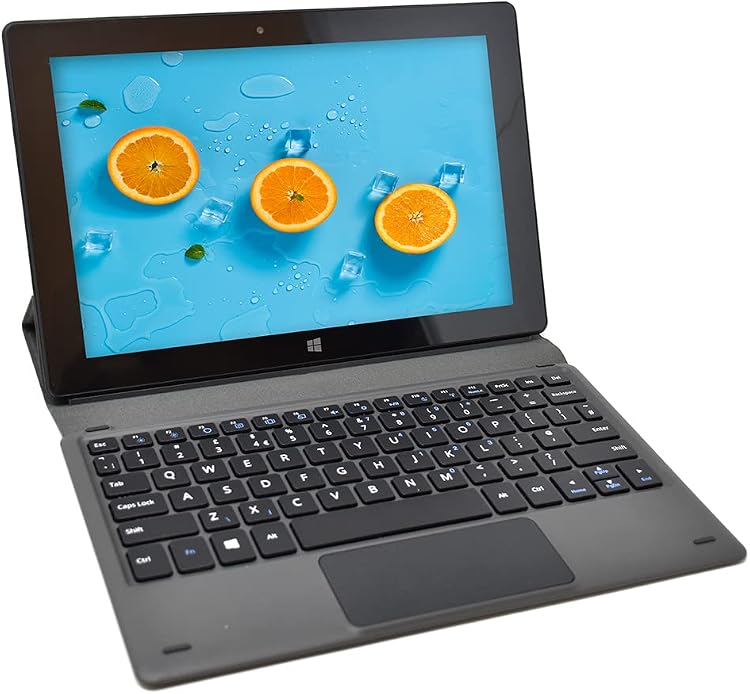
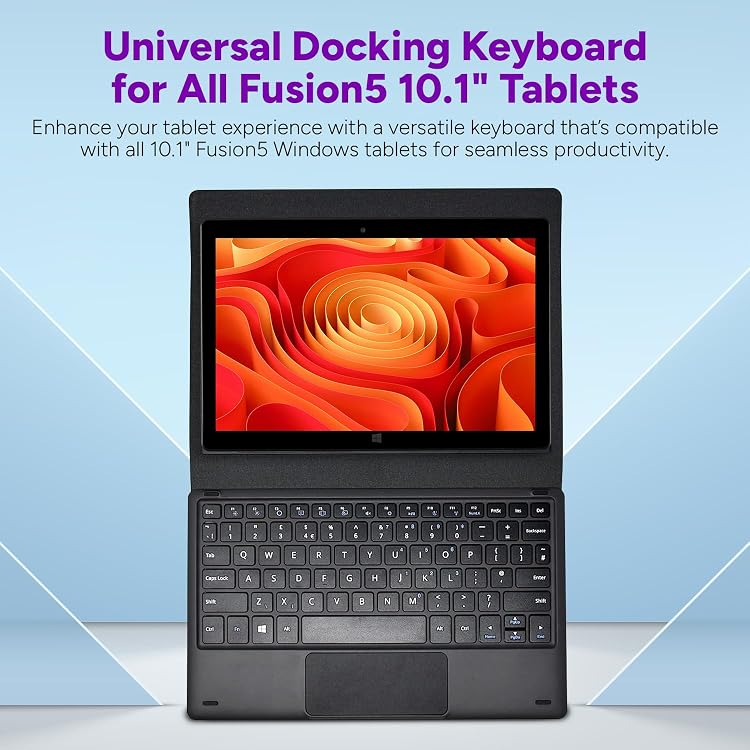
Fusion5’s docking keyboard is listed for its 10.1-inch Windows 11 tablets, turning a compatible tablet into a laptop-style setup for office or travel use. It connects by USB and is claimed to work without separate charging, drivers or setup once docked.
At a glance
- The listing claims compatibility with 10.1-inch Fusion5 Windows 11 tablets, but expressly excludes Rugged and Helios models.
- The keyboard is claimed to work when docked without a separate charge, drivers or setup.
- Its stand-alone arrangement is described as supporting the tablet in a work or entertainment position.
Pros and cons
Pros
- A USB connection and claimed plug-and-use operation avoid a separate keyboard charging or driver setup step.
- The stand-alone design is intended to hold a compatible tablet in a laptop-style working position.
Technical specifications
4 specifications| Brand | Fusion5 |
|---|
| Connection listed | USB |
|---|
| Dimensions listed | 25.7L x 17.5W x 1.6H centimetres |
|---|---|
| Material listed | Plastic |
What to know before buying
Listing details to confirm
Compatibility wording is inconsistent: the listing calls the keyboard universal for all 10.1-inch Fusion5 Windows 11 tablets while the title explicitly excludes Rugged and Helios models. Confirm the exact tablet model before buying. The listing does not confirm compatibility with other tablets.
What’s in the box
- Docking keyboardCheck selected pack
Check which accessories are included in your selected pack before buying.
Who is it for?
A good fit for
- Owners of a compatible 10.1-inch Fusion5 Windows 11 tablet who want a laptop-style keyboard setup for office tasks or travel.
- Buyers who prefer a claimed USB docked connection without separate keyboard charging or driver installation.
Less suited to
- Owners of Fusion5 Rugged or Helios tablets, which the title explicitly excludes.
- Buyers who need confirmed compatibility with a non-Fusion5 tablet or a specific model not identified in the listing.
Customer reviews on Amazon
- 5 stars
55% 55% - 4 stars
20% 20% - 3 stars
10% 10% - 2 stars
4% 4% - 1 star
11% 11%
Aggregate ratings are mixed overall, with more positive than negative ratings but a notable one-star share. Ratings alone do not explain why customers chose them or establish performance. For buyers, the stated model-specific compatibility is especially important to confirm before relying on this keyboard as a daily work or travel setup.
Frequently asked questions
Which tablets is this keyboard intended for?
The listing describes compatibility with 10.1-inch Fusion5 Windows 11 tablets, but the title excludes Rugged and Helios models. Check your tablet’s exact model before buying.
Does the keyboard need its own charge or driver installation?
The listing claims it works straight away when docked, without a separate charge, drivers or a setup process.
Can it hold the tablet in a laptop-style position?
The listing describes a stand-alone arrangement that supports the tablet in a work or entertainment position. It does not provide further setup details.