 1 / 7
EVEBOT PrintPen Food Printer for Latte Art and Desserts
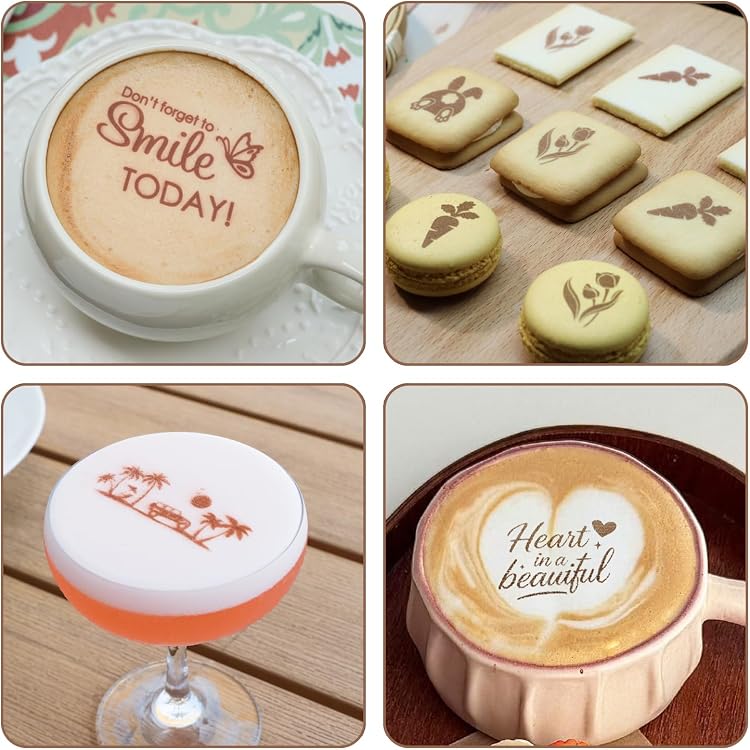
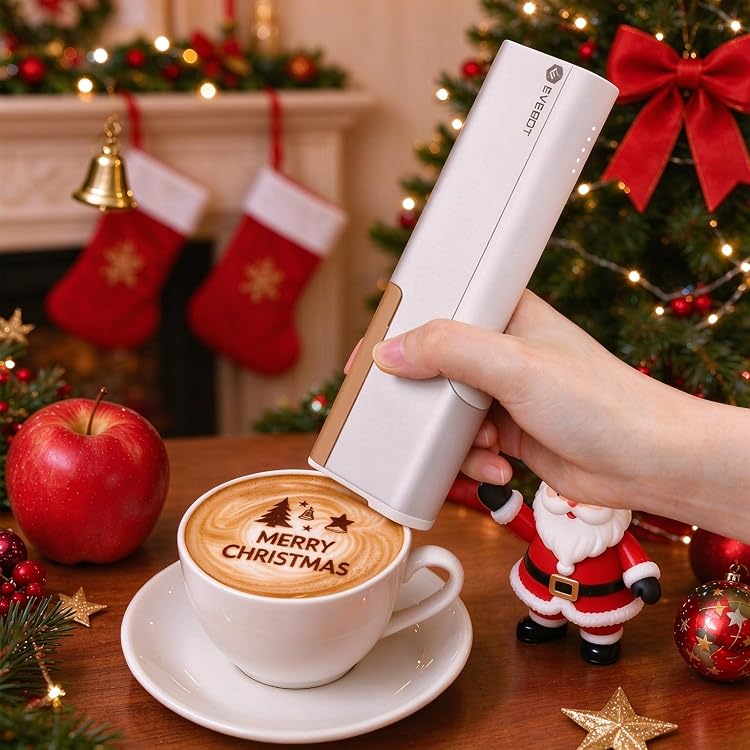
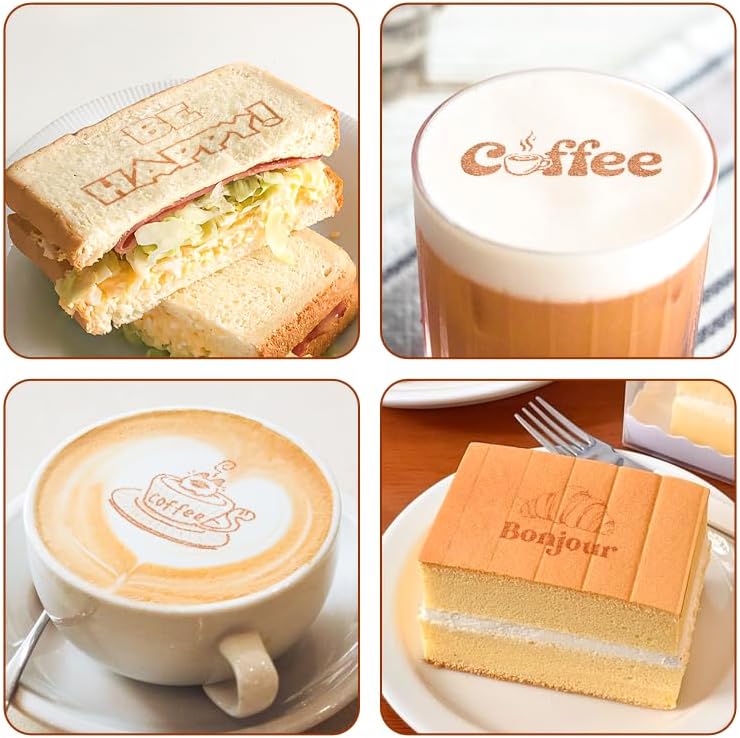
Latte Desserts: The EVEBOT PrintPen is a handheld food printer for adding designs and text to dense drink foam and textured foods. It connects to the EVEBOT SNAP app over Bluetooth 4.2, but the listing says it is not suitable for diluted or smooth liquids.
At a glance
- Prints images, text, logos, dates, QR codes and barcodes onto suitable food surfaces, according to the listing.
- Roller sensor technology is described as supporting printing on curved surfaces.
- Built-in memory is claimed to resume the last uploaded design after restarting.
- An auxiliary ruler is said to be included for positioning.
Reference price: £237.99
Price checked: 14 Nov 2026
View offerAhead of Black FridayExplore the selectionPros and cons
Pros
- Handheld design and a stated device weight of 255g suit moving between serving or decorating tasks.
- The listed design types include text and codes as well as images, giving it uses beyond decorative latte art.
- The device retains the last uploaded design after restarting, according to the listing.
Cons
- Use is limited to stable, dense foam or thick, textured foods. Smooth liquids and diluted surfaces are not supported.
- The listing recommends removing the cartridge for storage if the printer will be unused for 2–3 days, adding a maintenance step.
Technical specifications
13 specifications| Brand | EVEBOT |
|---|
| Listed package dimensions and weight | 26 x 20 x 7 cm; 650 g |
|---|---|
| Battery | 1 Lithium Ion batteries required. (included) |
| Listed unit quantity | 20.0 gram |
| Device dimensions | 174 × 53 × 30 mm |
|---|---|
| Device weight | 255g |
| Print area | 26 × 50 mm |
| Claimed uses per cartridge | up to 7,000 uses per cartridge |
| Wireless connection | Bluetooth 4.2 |
| Compatible app | EVEBOT SNAP app |
| Supported surfaces | dense foam surfaces (e.g. cappuccino, latte) or thick, textured foods (e.g. macarons, cookies) |
|---|---|
| Unsupported surfaces | diluted or smooth liquid surfaces |
| Cartridge shelf life | 12 months unopened, 6 months after opening |
What to know before buying
- The listing gives package dimensions and weight of 26 x 20 x 7 cm; 650 g, but separately describes the device as 174 × 53 × 30 mm and 255g. It also lists 20.0 gram without explaining what that quantity measures, so confirm the relevant size and quantity before buying. Print quality depends on stable, tightly packed foam or textured food. For storage after 2–3 days unused, remove the cartridge and keep it in the protective clip. The stated cartridge shelf life is 12 months unopened and 6 months after opening.
Who is it for?
A good fit for
- Cafés and home users wanting to add designs or text to latte or cappuccino foam.
- Bakers and dessert decorators printing on cookies, macarons or other thick, textured foods.
Less suited to
- Anyone needing to print on smooth drinks, diluted liquids or unsupported food surfaces.
- Buyers who want a printer that can be left unused for several days without cartridge care.
Frequently asked questions
What surfaces can the EVEBOT PrintPen print on?
The listing recommends dense, stable foam such as latte or cappuccino foam, and thick, textured foods such as cookies and macarons. It says diluted or smooth liquid surfaces are unsupported.
How does the PrintPen connect to a phone?
The listing specifies Bluetooth 4.2 and the EVEBOT SNAP app.
What maintenance does the listing recommend?
If print quality declines, it recommends gently wiping the nozzle in one direction with a tissue. If unused for 2–3 days, remove the cartridge and store it in the protective clip.
How large is the print area?
The stated print area is 26 × 50 mm. The listing also advises using the auxiliary ruler to position prints.