 1 / 7
Dolphin Automotive Transit Rear Brake-Light Camera with 7-Inch Monitor
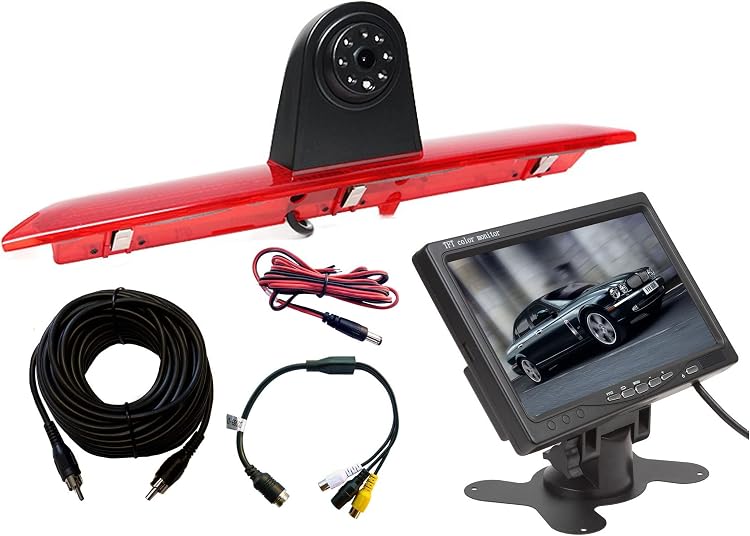
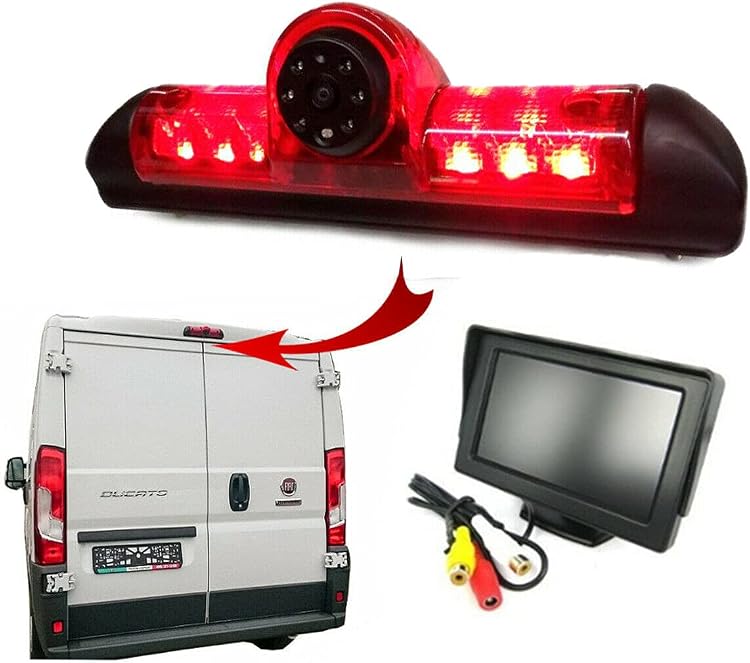
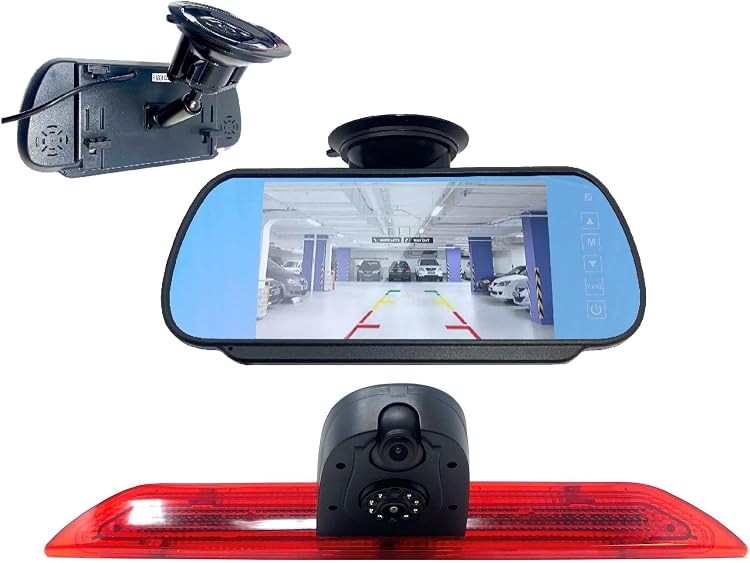
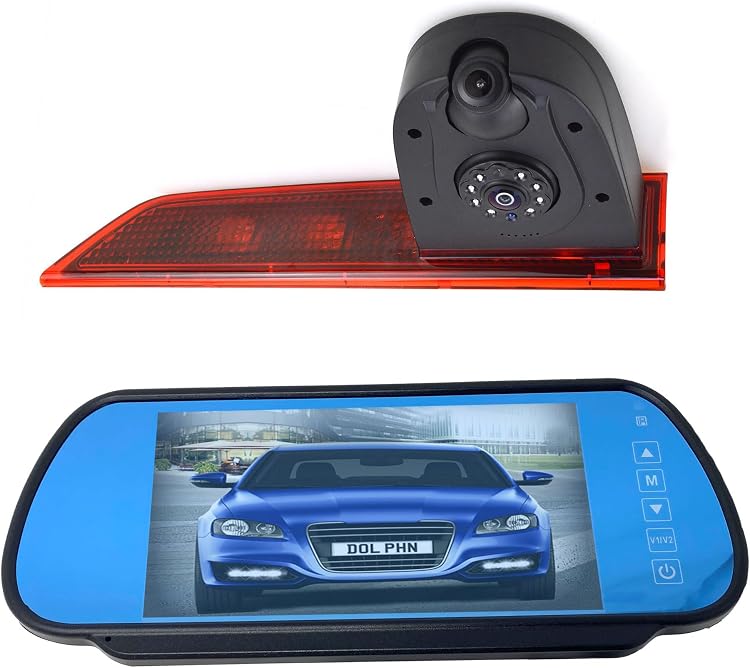
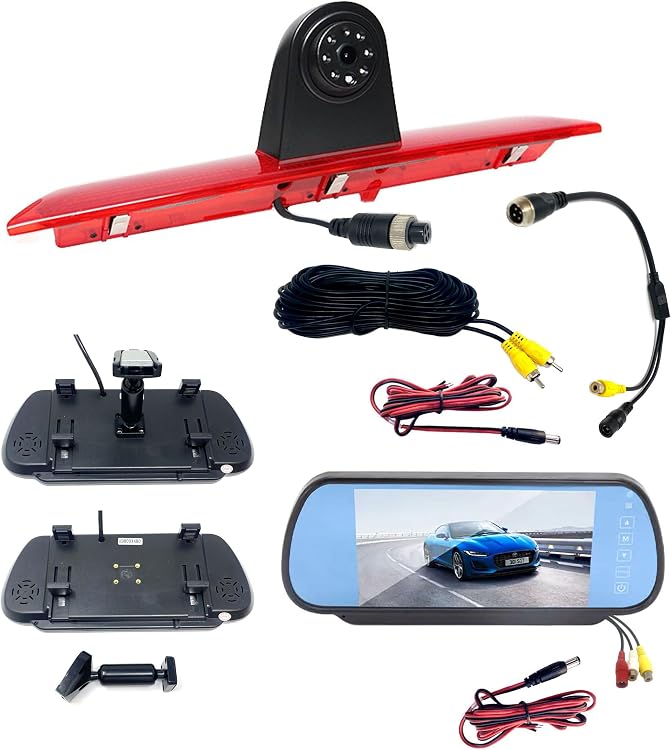
Dolphin Automotive’s Transit rear brake-light camera kit combines a replacement high-level brake light camera with a 7-inch mirror-mounted monitor. The listing describes fitment for the fourth-generation Ford Transit from 2014 onwards, including the 2020 facelift, but excludes Transit Custom, Connect and Courier models.
At a glance
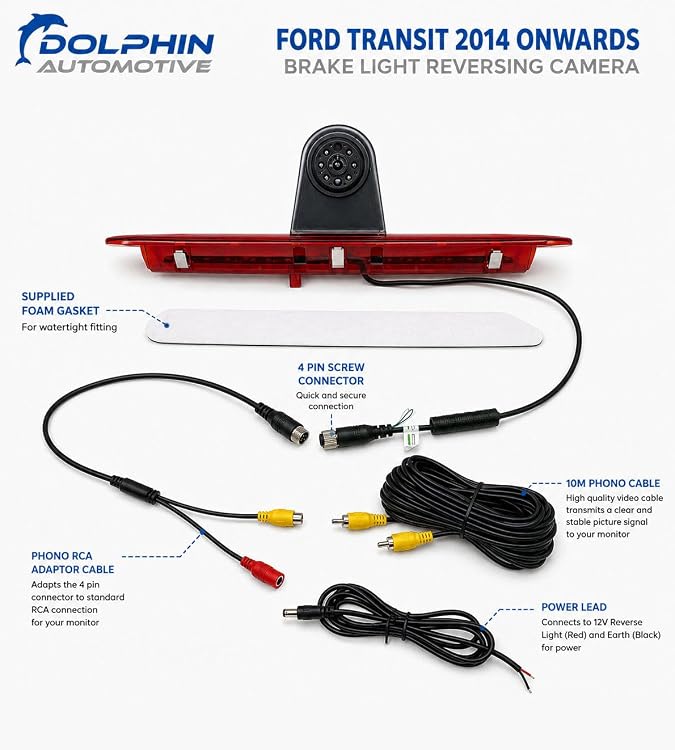
- Camera is integrated into a replacement high-level brake light for the Ford Transit’s rear double doors.
- Camera angle can be adjusted with a ball-and-socket joint. The listing says it views down towards the rear bumper.
- Camera is wired to the reversing light feed to activate in reverse. The listing also describes an optional always-on setup using a 12V ignition feed.
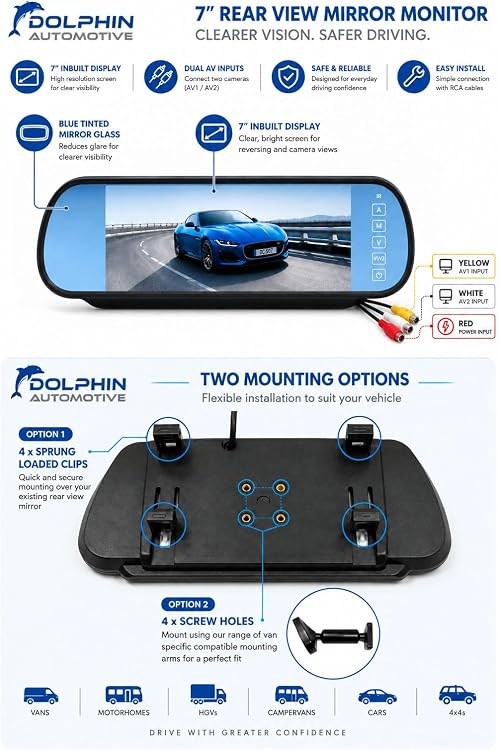
- Monitor can clip over an existing rear-view mirror or attach to an OEM shoe or boss using the included stalk.
- Reversing guidelines are included and can be deactivated. The camera provides a mirror image.
Pros and cons
Pros
- Combines the camera and replacement LED brake-light unit, avoiding a separate camera mounting position.
- The kit includes a 7-inch monitor and a 10m RCA cable, giving a stated wired route between the rear camera and display.
- Adjustable camera angle and deactivatable reversing guidelines allow some setup flexibility.
Technical specifications
14 specifications| Brand | Dolphin Automotive |
|---|
| Screen size | 7 Inches |
|---|---|
| Video formats | Dual PAL/NTSC compatible |
| Sensor | CMOS |
|---|---|
| Lens | Wide Angle |
| View angle listed in product details | 170 Degrees |
| Viewable angle stated in feature description | 120 degree |
| Night vision | 6 LEDs for infrared night vision with a distance of 35ft. |
| Water resistance | IP68 waterproof |
| Voltage | 12 Volts |
|---|---|
| Connector type | RCA |
| Dimensions listed | 38.6L x 5.4W x 5.4H centimetres |
|---|---|
| Installation type | Lip Mount |
| Compatible devices | Monitor |
What to know before buying
Listing details to confirm
The camera’s viewing angle is contradictory in the listing: product details say 170 Degrees, while the feature description says 120 degree. Confirm the intended angle before buying. The stated dimensions, CMOS sensor, 12V operation and IP68 rating are listing claims, not independent verification.
Who is it for?
A good fit for
- Owners of a fourth-generation Ford Transit from 2014 onwards, including the 2020 facelift, whose high-level brake light is approximately 38.6cm wide and 5.4cm high.
- Buyers wanting a wired reversing-camera kit with a dedicated 7-inch mirror-mounted monitor.
Less suited to
- Owners of a Ford Transit Custom, Connect or Courier, which the listing explicitly excludes.
- Buyers whose Transit brake-light dimensions or mounting arrangement do not match the stated fitment.
Customer reviews on Amazon
- 5 stars
74% 74% - 4 stars
8% 8% - 3 stars
7% 7% - 2 stars
0% 0% - 1 star
11% 11%
Aggregate ratings lean positive, with most ratings in the five-star category, but a smaller one-star share shows that experiences are not uniformly favourable. This is a limited signal rather than an explanation of customer experiences. It does not establish how the camera performs on a particular Transit or resolve the listing’s conflicting viewing-angle figures.
Frequently asked questions
Which Ford vans does this camera claim to fit?
The listing specifies the fourth-generation Ford Transit from 2014 onwards, including the 2020 facelift. It says the kit is not for the Transit Custom, Connect or Courier.
Does the kit include a monitor?
Yes. The title and feature description identify a 7-inch mirror-mounting monitor. The monitor can clip over an existing mirror or use the included stalk to attach to an OEM shoe or boss.
How does the camera turn on?
The listing says to wire it to the reversing-light feed so it activates when reverse is selected. It also describes wiring to a 12V ignition feed for an always-on setup.
What viewing angle does the camera have?
The listing gives conflicting figures: 170 Degrees in the product details and 120 degree in the feature description. Check the intended specification before purchase.