 1 / 7
Logitech MX Ergo S Wireless Trackball Mouse
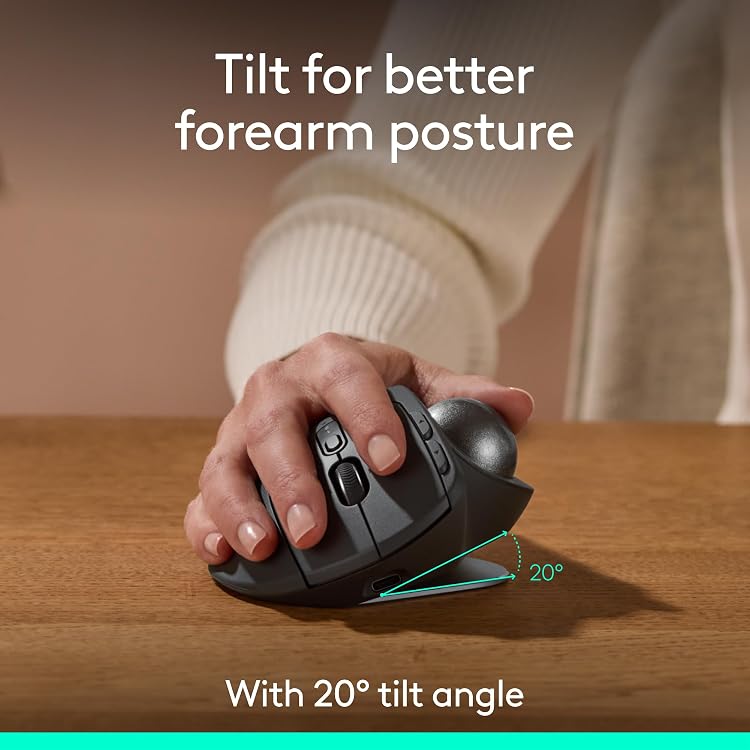
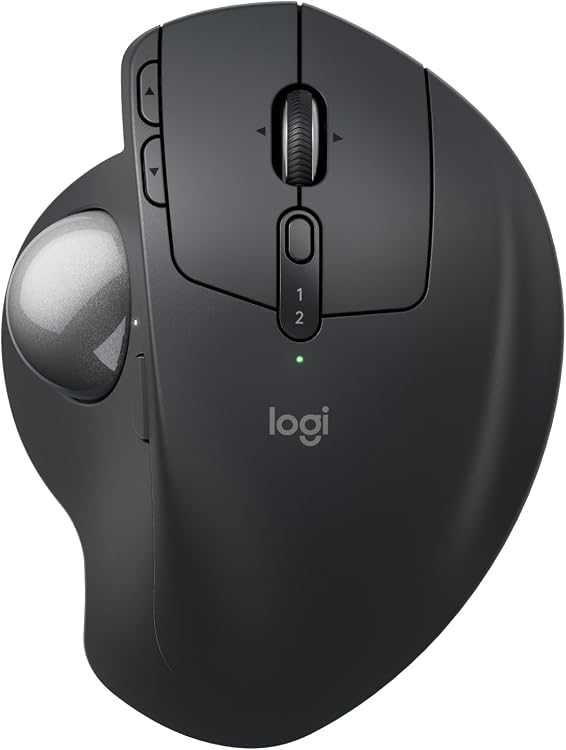
The Logitech MX Ergo S is a rechargeable wireless trackball mouse with thumb control and a 20-degree tilt base. It offers Bluetooth and Logi Bolt connectivity, six customisable buttons and a USB-C charging port, with a cable not included.
At a glance
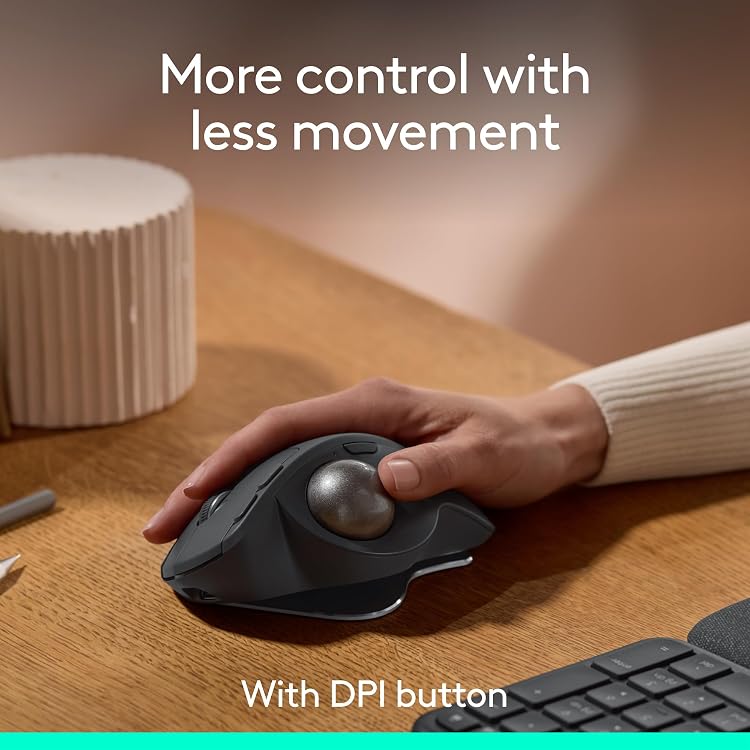
- Thumb-operated trackball aims to reduce the amount of hand movement and offers a button to switch between speed and high-precision tracking.
- A 20-degree tilt base, contoured shape and soft rubber grip are intended to support a more comfortable hand position.
- Logitech claims quieter clicks and reduced muscle strain. These are manufacturer claims, not independent measurements.
- Six customisable buttons and app-based shortcuts can be configured using Logi Options+.
- Switch between Bluetooth and the included Logi Bolt receiver, with an Easy-Switch button for switching between computers.
- USB-C charging is supported, but the charging cable is not included.
Reference price: £84.99
Price checked: 16 Nov 2026
View offerAhead of Black FridayExplore the selectionPros and cons
Pros
- Trackball control can suit setups where moving a conventional mouse across the desk is inconvenient.
- Tilted ergonomic shape and soft rubber grip are designed for medium- to large-sized hands.
- Wireless connection options include Bluetooth and an included Logi Bolt receiver.
- Rechargeable battery and customisable buttons reduce reliance on disposable batteries and default button functions.
Cons
- The thumb-operated trackball and angled shape may not suit users who prefer a conventional mouse.
- Charging cable is not included, so a compatible USB-C cable is needed.
Technical specifications
12 specifications| Brand | Logitech |
|---|---|
| Colour | Graphite |
| Wireless connection listed | Bluetooth |
|---|---|
| Additional wireless connection | Logi Bolt USB receiver |
| Movement detection | Trackball |
| Customisable buttons | 6 customisable buttons |
| Tilt angle | 20-degree tilt angle |
| Charging port | USB Type C |
|---|---|
| Claimed use from a 1-minute charge | up to 24 h of use from a 1 min charge |
| Claimed use per full charge | up to 120 days |
| Recycled plastic content | 20% certified post-consumer recycled plastic |
|---|---|
| Hand size stated | medium- to large-sized hands |
What to know before buying
- Battery-life and quick-charge figures are manufacturer claims, and actual runtime can depend on use. The listing says charging works with either a USB Type C to Type C or USB Type A to Type C cable, neither included. The keyboard mentioned in promotional text is not established as part of the package.
What’s in the box
- Logitech MX Ergo S mouseCheck selected pack
- Logi Bolt USB receiverIncluded
Check which accessories are included in your selected pack before buying.
Who is it for?
A good fit for
- People seeking thumb-operated trackball control with less need to move the mouse across a desk.
- Users with medium- to large-sized hands who want an angled ergonomic mouse.
- Buyers who need Bluetooth and Logi Bolt connection options or configurable mouse buttons.
Less suited to
- Users who prefer a conventional optical mouse or do not want thumb-based trackball control.
- Buyers who require a charging cable in the box.
Customer reviews on Amazon
- 5 stars
78% 78% - 4 stars
15% 15% - 3 stars
3% 3% - 2 stars
2% 2% - 1 star
2% 2%
There is no customer-comment summary to describe. Aggregate ratings are mostly in the highest categories, with a smaller share of lower ratings. Ratings alone do not explain user experiences or establish which aspects people liked or disliked. Buyers should judge fit and thumb-operated control against their own preferences.
Frequently asked questions
Does the MX Ergo S work over Bluetooth?
Yes. Bluetooth is listed, and the feature description also names a Logi Bolt USB receiver as an additional wireless option.
Is a charging cable included?
No cable is listed as included. The product description says it can charge with a USB Type C to Type C or USB Type A to Type C cable.
Does it come with the ERGO K860 keyboard?
The listing promotes pairing it with that keyboard but does not provide an explicit package inventory confirming the keyboard is included. Check the selected listing's contents before buying.
How long does the battery last?
Logitech claims up to 120 days from a full charge and up to 24 hours of use from a one-minute charge. These are listed claims rather than independently verified results.