 1 / 7
ULANZI D200H Stream Controller Deck, 14 LCD Keys and 7-in-1 Hub
The ULANZI D200H Stream Controller Deck combines 14 programmable LCD macro keys with a 7-in-1 dock for creative workflows, streaming and office shortcuts. Its stated 100W PD charging and card-reader speeds are manufacturer claims, while the dock’s usefulness depends on your connected devices and software.
At a glance
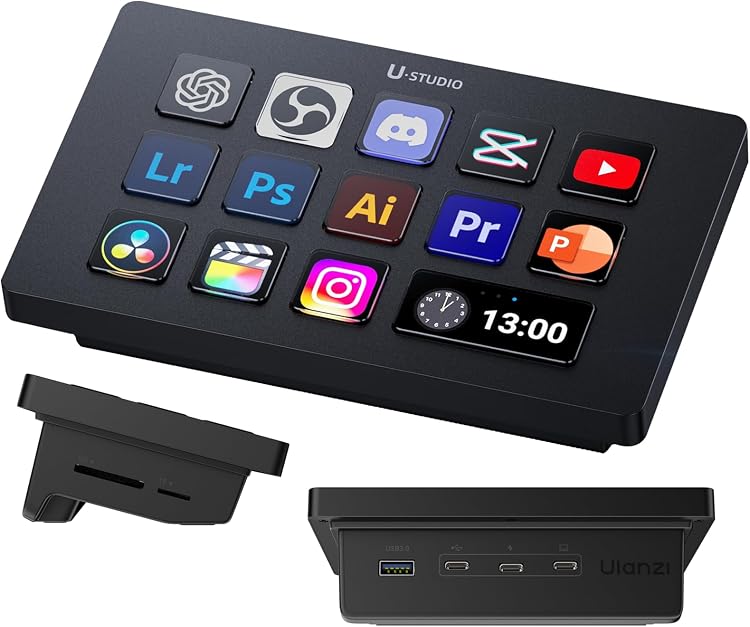
- Assign actions to 14 LCD keys for tasks such as opening apps, switching scenes or selecting tools.
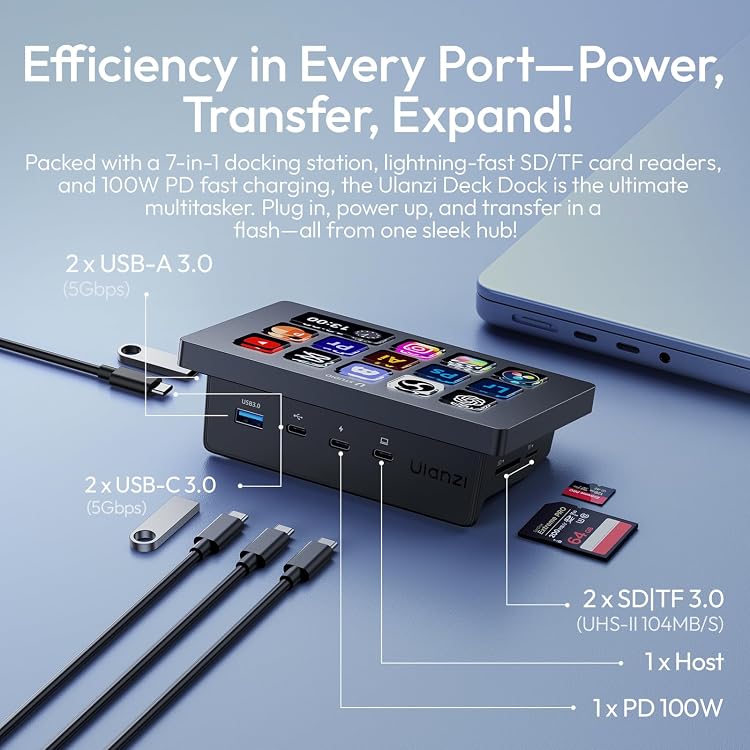
- Dock combines USB-C and USB-A data ports, a host connection, a power-delivery port and SD/TF card-reader slots.
- The listing names several video, image and office applications, including Photoshop, DaVinci Resolve, Excel and ChatGPT.
- Lighting controls are described for specified ULANZI lights and Philips Hue, with a Bluetooth remote control required for Philips Hue.
Pros and cons
Pros
- Programmable keys can group frequently used app actions into single-tap shortcuts.
- The built-in dock includes both USB-A and USB-C ports as well as SD/TF card reading.
- The stated Windows and macOS requirements cover a range of recent desktop systems.
Cons
- The deck’s shortcuts and dock functions depend on compatible software and connected devices, so it may not suit a workflow that needs only basic keyboard macros.
Technical specifications
8 specifications| Programmable controls | 14 LCD Macro Keys Programmable |
|---|---|
| System requirements | Windows 10 and later / macOS 10.13 and later |
| Supported creative apps | Photoshop, Premiere Pro, After Effects, DaVinci Resolve and CapCut |
| USB-C ports | 2 x USB-C 3.0 (5Gbps) |
|---|---|
| USB-A ports | 2 x USB-A 3.0 (5Gbps) |
| Power delivery port | 1 x PD 100W |
| Host port | 1 x host port |
| Card reader | 2 x SD|TF 3.0 (UHS-II 104MB/s) |
What to know before buying
Listing details to confirm
The listing states a 100W PD port but does not establish that the deck itself supplies 100W to a connected computer. Confirm host, charger and device requirements before relying on that figure. Card-reader transfer performance is also a listing claim, not an independent measurement. Philips Hue control requires a Bluetooth remote control.
Who is it for?
A good fit for
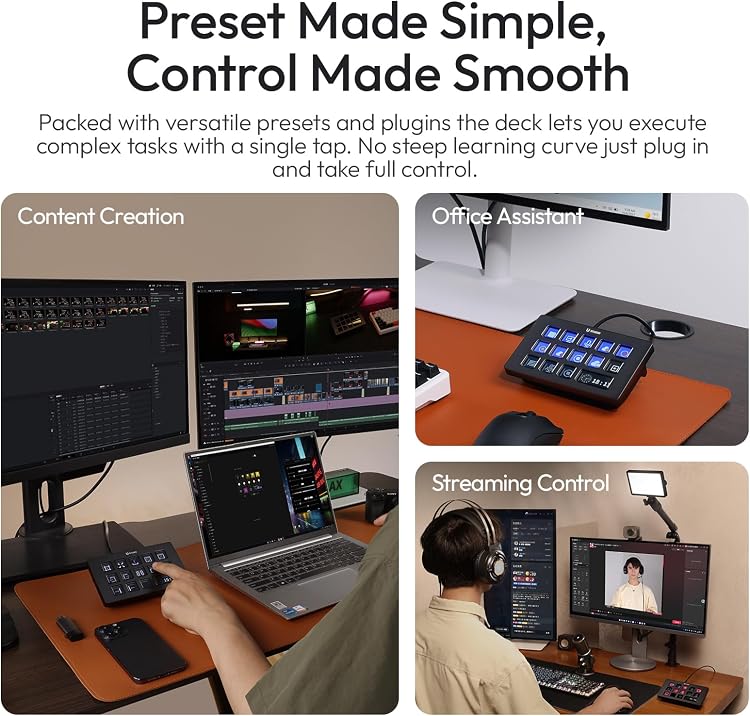
- Video editors and content creators who want configurable one-tap actions in supported apps.
- Streamers who want programmable scene and sound-effect controls alongside a desktop dock.
- Office users who want shortcuts for launching apps, switching windows and opening files.
Less suited to
- People who need a controller with no software setup or compatibility dependencies.
- Buyers who need confirmed 100W charging performance for a specific computer or device.
Customer reviews on Amazon
- 5 stars
68% 68% - 4 stars
16% 16% - 3 stars
5% 5% - 2 stars
3% 3% - 1 star
8% 8%
Aggregate customer ratings lean positive overall, but the spread includes low-star ratings as well. These figures do not explain what customers liked or disliked. For buyers, the key practical question remains whether the shortcut software, named apps and dock connections fit their particular setup.
Frequently asked questions
Which operating systems does the D200H list support?
The stated requirements are Windows 10 and later or macOS 10.13 and later.
Which creative apps are named as supported?
The listing names Photoshop, Premiere Pro, After Effects, DaVinci Resolve and CapCut.
Can it control Philips Hue lights?
The listing says Philips Hue control requires a Bluetooth remote control. It also names a selection of ULANZI lights as compatible.
Does the 100W figure guarantee 100W charging for a laptop?
No such guarantee is established by the supplied details. The listing identifies a 100W PD port, but does not specify the power delivered to a particular host or the required charger.