Desktop Computers
Products · Desktop Computers
1 active deal
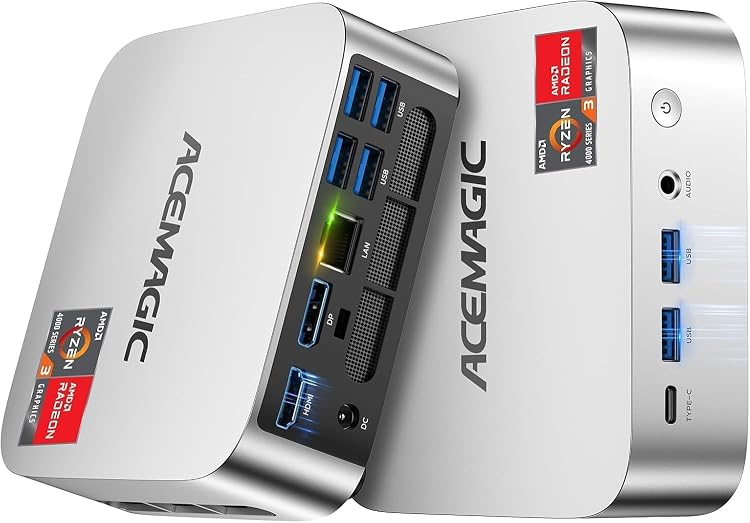
Desktop computers: choose a system that fits your workspace
A desktop computer need not be a large tower. A mini PC saves space, an all-in-one combines the computer and display, and a tower leaves more room for later changes. Start with how you will work and what you may need to replace, rather than the most impressive number on a specification sheet.
The shape decides what you can replace
For documents, video calls and browsing, a mini PC can be convenient if you already own a monitor and have space for its power adapter. A tower makes sense for a separate graphics card or internal upgrades, but check its dimensions and ventilation. An all-in-one simplifies the desk; however, a fault or a screen you outgrow can limit the whole system. Do not assume that every design allows you to upgrade its memory.
Balance the hardware around everyday tasks
Identify your two most demanding applications and check their requirements. A powerful graphics card offers little to an office mainly using spreadsheets, whereas editing or gaming may depend on it. Memory should let your programs stay open without constantly falling back on storage. Look at the full processor model, available storage capacity and whether the main drive is an SSD. A marketing family name alone cannot compare computers from different hardware generations.
Plan connections rather than counting sockets
List the displays you will connect, their resolution and the peripherals that will remain plugged in. Check which video outputs work and how many monitors the computer actually supports. USB-C does not guarantee video output or identical capabilities across models. If you need wireless networking, confirm it is included. On an all-in-one, assess screen height, reflections and camera position: strong internal specifications cannot compensate for an uncomfortable display throughout a working day.
Consider noise and repairs before buying
The computer will sit close to you for hours. Look for information about noise under load, cleaning access and replacement parts; small size is not proof of quiet operation. Check whether memory, storage and the power supply use standard parts or proprietary designs. For refurbished systems, establish condition, the included operating system and warranty terms. Budget for a monitor, keyboard and adapters when absent, so you compare complete workstations rather than differently equipped boxes.